
On this page
This tutorial adds VPN detection to an ASP.NET Core app with VPNDetection.AspNetCore, our official middleware. By the end, signup asks visitors on a VPN, a residential proxy or Tor to confirm their email, and checkout turns them away with an endpoint filter. Before either works, UseForwardedHeaders has to know your proxy, because with its defaults it ignores every proxy that isn't on the same machine. We ran every snippet against the live API on October 9, 2026, with .NET SDK 10.0.401 and VPNDetection.AspNetCore 3.0.9, and every output below is from those runs.
Look up every request
dotnet new web -o shop
cd shop
dotnet add package VPNDetection.AspNetCore
The package targets net8.0, so it loads on .NET 8 and every later runtime. Get an API key in the console: a free one covers 50,000 lookups a month. Without a key, the API allows 1,000 lookups a day per source address, and once deployed, every lookup comes from your server's address. The app below reads the key through configuration, so an environment variable named VPNDETECTION_API_KEY works.
// Program.cs
using VPNDetection.AspNetCore;

var builder = WebApplication.CreateBuilder(args);
var app = builder.Build();

app.UseVPNDetection(o =>
{
    o.ApiKey = builder.Configuration["VPNDETECTION_API_KEY"];
});

app.MapGet("/", (HttpContext context) =>
{
    var found = context.GetVPNDetection();
    return Results.Json(new
    {
        ip = found?.Ip,
        result = found?.Result?.Raw,
        error = found?.Error?.Message,
    });
});

app.Run();
The middleware looks the visitor up before any endpoint runs, and GetVPNDetection() reads the answer. Nothing is blocked. From 141.98.252.67, a Mullvad server in London from Mullvad's own server list, part of result read:
{
  "is_vpn": true,
  "is_hosting": true,
  "is_tor": false,
  "is_resproxy": false,
  "vpn": {
    "provider": "mullvad",
    "last_seen": "2026-10-09",
    "confidence": "high",
    "method": "scan"
  }
}
That's a key on the Max plan. A home broadband address on a US cable ISP came back with every flag false. A private or reserved address never reaches the API: the middleware answers it in the process.
Tell it where the proxy is
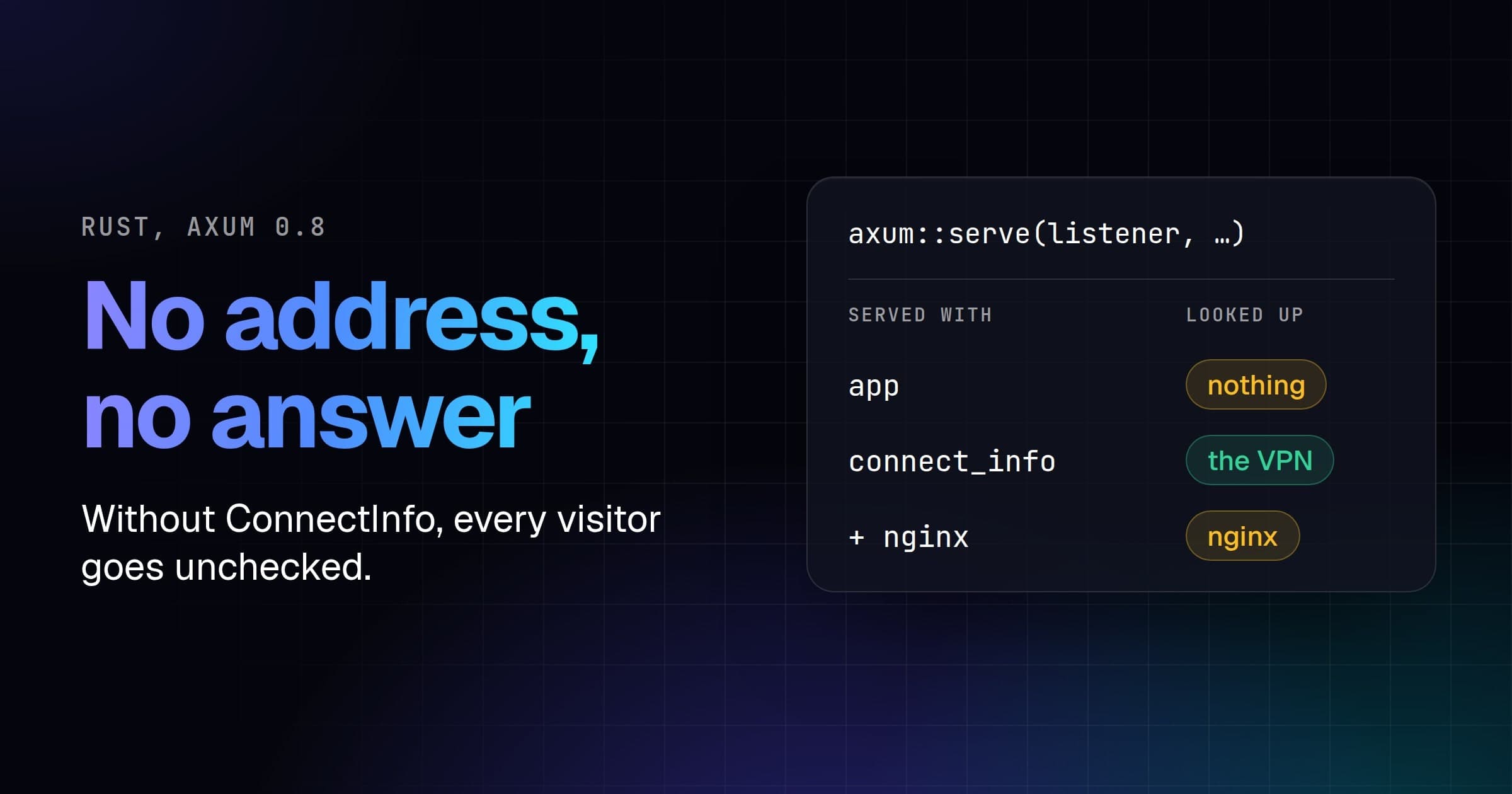
The middleware looks up HttpContext.Connection.RemoteIpAddress, which is the address that opened the connection until UseForwardedHeaders rewrites it from X-Forwarded-For. We put nginx 1.29.1 in front of Kestrel in a container of its own, at 172.28.5.12 on a private network, with the usual proxy_set_header X-Forwarded-For $proxy_add_x_forwarded_for. A visitor on the Mullvad server sent X-Forwarded-For: 1.1.1.1 through nginx, and then straight to Kestrel. The address the middleware looked up:
Before UseVPNDetection | Through nginx | Straight to Kestrel |
|---|---|---|
| nothing | 172.28.5.12 | 141.98.252.67 |
UseForwardedHeaders, XForwardedFor only | 172.28.5.12 | 141.98.252.67 |
the same, with KnownProxies set to nginx | 141.98.252.67 | 141.98.252.67 |
the same, with KnownIPNetworks and KnownProxies cleared | 141.98.252.67 | 1.1.1.1 |
Adding UseForwardedHeaders changed nothing. Microsoft's docs give the reason among its defaults:
Only loopback addresses are configured for known proxies and known networks.
nginx on another host, in another container or behind a cloud load balancer isn't loopback, so the header is ignored, every visitor is the proxy, a private address the middleware answers locally, and nobody is ever flagged. The one sign is a line in the app's output:
[vpndetection] resolved the client address as 172.28.5.12, which is not a public address. If this application runs behind a proxy or load balancer, configure its trusted-proxy setting or pass an IpSelector that reads your edge's header.
Name the proxy, before UseVPNDetection:
using System.Net;
using Microsoft.AspNetCore.HttpOverrides;

app.UseForwardedHeaders(new ForwardedHeadersOptions
{
    ForwardedHeaders = ForwardedHeaders.XForwardedFor,
    KnownProxies = { IPAddress.Parse("172.28.5.12") },
});
The usual way past the defaults is to clear them, so any connection's header is believed:
var forwarded = new ForwardedHeadersOptions
{
    ForwardedHeaders = ForwardedHeaders.XForwardedFor,
};
forwarded.KnownIPNetworks.Clear();
forwarded.KnownProxies.Clear();
app.UseForwardedHeaders(forwarded);
Through nginx, that gave the right answer, since the middleware reads one entry from the right by default. Straight to Kestrel, the visitor's own 1.1.1.1 was the only entry, and it was looked up. 1.1.1.1 answers is_hosting but not is_vpn, so a VPN check waves them through. Clear the lists only where nothing but your proxy can reach the app.
Behind a CDN, the connecting address is the CDN. From a Cloudflare address, the first app looked up that address and found is_cdn: true. Read the header the CDN writes instead:
app.UseVPNDetection(o =>
{
    o.ApiKey = builder.Configuration["VPNDETECTION_API_KEY"];
    o.IpSelector = IpSelectors.Header("CF-Connecting-IP");
});
From Cloudflare's address, CF-Connecting-IP: 141.98.252.67 came back as the VPN, and with the header missing, the selector fell back to the connecting address. Straight to Kestrel, CF-Connecting-IP: 1.1.1.1 was looked up as 1.1.1.1, so let only Cloudflare's ranges reach your origin.
Decide per endpoint
Most endpoints don't care who's on a VPN; signup and checkout do. The middleware has already looked the visitor up, so the same Program.cs, further down, only has to decide:
// A VPN, residential proxy or Tor visitor, or one we know nothing about.
static bool IsMasked(HttpContext context)
{
    var result = context.GetVPNDetection()?.Result;
    return result is null || result.IsVpn || result.IsResproxy == true
        || result.IsTor == true;
}

// Signup: nobody is refused, but a masked visitor confirms their email first.
app.MapPost("/signup", (HttpContext context) =>
    new { confirmEmail = IsMasked(context) });

// Checkout: a VPN, Tor, or a residential proxy exit seen 5 times or more.
app.MapPost("/checkout", () => new { ordered = true })
    .AddEndpointFilter(async (filter, next) =>
    {
        var result = filter.HttpContext.GetVPNDetection()?.Result;
        var refuse = result is not null && (result.IsVpn || result.IsTor == true
            || (result.IsResproxy == true && result.Resproxy?.Hits >= 5));
        return refuse
            ? Results.Json(
                new { error = "Please turn off your VPN or proxy to check out." },
                statusCode: StatusCodes.Status403Forbidden)
            : await next(filter);
    });
IsVpn is a plain bool, since every plan includes it, while IsTor and IsResproxy are bool?, null when your plan doesn't include them, which is why they're compared with == true. IsMasked also answers true when the lookup failed, since then you know nothing about the visitor. The filter judges the answer the middleware already attached, so checkout costs no second lookup.
We sent both endpoints the Mullvad server, the home address, and two residential proxy exits from our data, one with hits at 27 and one at 2:
| Visitor | POST /signup | POST /checkout |
|---|---|---|
| Mullvad server | {"confirmEmail":true} | 403 |
| Home broadband | {"confirmEmail":false} | 200 |
Residential proxy exit, hits 27 | {"confirmEmail":true} | 403 |
Residential proxy exit, hits 2 | {"confirmEmail":true} | 200 |
Each 403 came with {"error":"Please turn off your VPN or proxy to check out."}. To refuse on every request instead, set BlockCondition in UseVPNDetection, written in the shape of the answer, such as new Condition { ["is_vpn"] = true }.
When a lookup fails
The middleware fails open: when our API is unreachable, your quota is spent or the key is wrong, the request goes on with Result as null and the reason in Error. With an invalid key, the first app's error was invalid API key, signup asked the Mullvad visitor for their email, and checkout took their order. Fail open, and ask more of a visitor whose lookup failed, as signup does.
A free key covers 50,000 lookups a month, and paid plans start at 250,000 (pricing). With a few million distinct visitors a day, download the VPN IP database and look addresses up locally instead of calling the API.
Absent is not false
Without a key, the Mullvad request from the first section answers:
{
  "is_vpn": true,
  "is_hosting": null,
  "is_tor": null,
  "is_resproxy": null,
  "vpn": null
}
Those nulls aren't false. They mean "not in your plan", where false means "checked, and no". is_vpn is on every plan, the hosting, Tor, relay and CDN flags start on Starter, the proxy flags on Scale, and confidence, method and resproxy.hits are on Max.
So without a key, checkout still refused the Mullvad server on IsVpn, and took the order from the proxy exit with 27 hits.
The same setup in Django is in How to detect VPN users in Django.