
On this page
This tutorial adds VPN detection to a Next.js app with vpndetection-next, our official Next.js middleware. By the end, signup asks visitors on a VPN, a residential proxy or Tor to confirm their email, checkout turns VPN and Tor visitors away, and the sign-in check the app already had shares the same file. We ran each snippet against the live API on October 8, 2026, with Node.js 22.22, Next.js 16.4.0 and vpndetection-next 2.0.9, self-hosted behind nginx 1.29.1, and every output below is from those runs.
Look up a request
npm install vpndetection-nextIt needs Node.js 22 or newer and Next.js 15 or newer. Get an API key in the console: a free one covers 50,000 lookups a month. Without a key you get 1,000 lookups a day per source address, and in production the source address is your server, for every visitor.
Next runs one file ahead of your routes. Next 16 calls it proxy.ts, and Next 15 calls it middleware.ts, which needs one more setting, covered under "Node.js, not Edge" below. In the project root:
// proxy.ts
import { createProxy } from 'vpndetection-next';

export const proxy = createProxy({ apiKey: process.env.VPNDETECTION_API_KEY });

export const config = { matcher: ['/whoami'] };
The matcher keeps the proxy to the routes that need it. Without one, it runs on every request, static files included, and each costs a lookup on a cache miss.
A proxy can't hand your route a value, so it forwards its answer on an x-vpndetection request header, and readLookup reads it back:
// app/whoami/route.ts
import { readLookup } from 'vpndetection-next';

export function GET(request: Request) {
    return Response.json(readLookup(request.headers) ?? null);
}
Build it, and start it with your key in the environment:
npx next build
VPNDETECTION_API_KEY=<your key> npx next start -H 127.0.0.1
To try it without a VPN, send the header a proxy in front of the app would add. 185.213.155.74 is a Mullvad server in Frankfurt, from Mullvad's own server list:
curl -s localhost:3000/whoami -H 'X-Forwarded-For: 185.213.155.74' | jq{
"ip": "185.213.155.74",
"isVpn": true,
"result": {
"ip": "185.213.155.74",
"is_vpn": true,
"is_hosting": true,
"is_relay": false,
"is_tor": false,
"is_cdn": false,
"is_resproxy": false,
"is_dcproxy": false,
"is_mobproxy": false,
"vpn": {
"provider": "mullvad",
"last_seen": "2026-10-08",
"confidence": "high",
"method": "scan"
},
"hosting": {
"provider": "",
"confidence": "medium",
"last_seen": "2026-08-29"
},
"relay": {},
"tor": {},
"cdn": {},
"resproxy": {},
"dcproxy": {},
"mobproxy": {}
},
"blocked": false
}That's the answer for a key on the Max plan. result is the API's own body, so its flags are snake_case, and isVpn beside it is the proxy's. A home broadband address on a US cable ISP came back with every flag false and every detail object empty. Nothing is blocked: the proxy looks visitors up, and your routes decide what the answer means.
Get the client address right
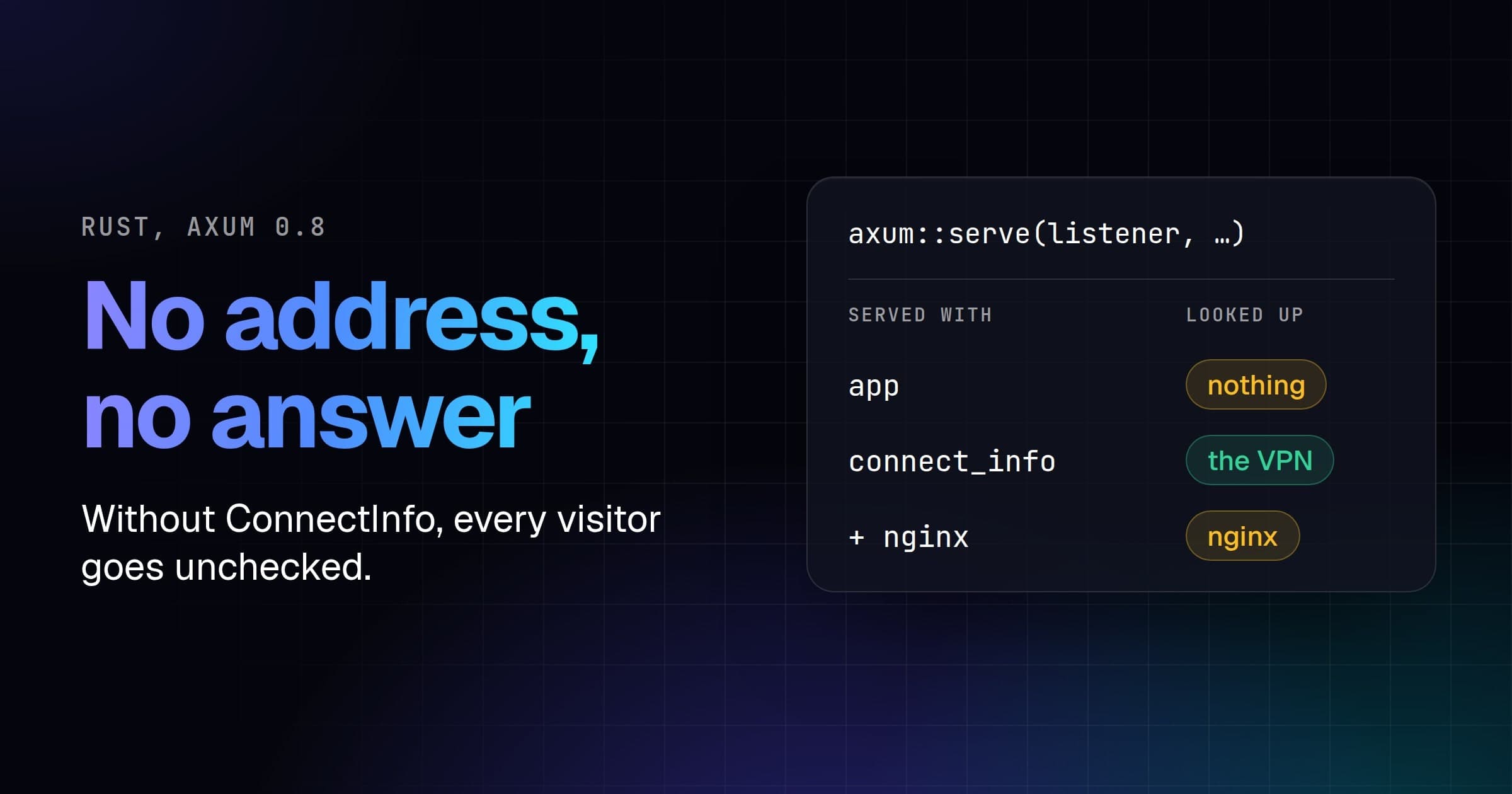
Next gives a proxy no socket address to look up. NextRequest.ip was removed in Next 15, and on 16.4.0 the line some guides still use, request.ip || request.headers.get('x-forwarded-for')?.split(',')[0], fails a TypeScript build with Property 'ip' does not exist on type 'NextRequest'. What's left is a header, and vpndetection-next reads the left-most X-Forwarded-For entry by default.
next start sets that header to the connection's address when a request arrives without one, and Vercel overwrites it with the address it saw (Vercel's docs), so on Vercel the default is right. A proxy you run yourself usually appends instead. nginx's usual config adds the address it saw to the end of whatever the visitor sent:
location / {
    proxy_pass http://127.0.0.1:3000;
    proxy_set_header Host $host;
    proxy_set_header X-Forwarded-For $proxy_add_x_forwarded_for;
}
We put that nginx in front of the app and sent it a request from the Mullvad server's address carrying X-Forwarded-For: 1.1.1.1, as a VPN user hiding their address would. The app received 1.1.1.1, 185.213.155.74. The address each setup looked up:
| In front of the app | ipSelector | Looked up |
|---|---|---|
| nginx, appending | default | 1.1.1.1 |
| nginx, appending | xffIpSelector({ depth: 1 }) | 185.213.155.74 |
nginx, X-Forwarded-For $remote_addr | default | 185.213.155.74 |
| nothing | default or xffIpSelector({ depth: 1 }) | 1.1.1.1 |
1.1.1.1 answered is_hosting, not is_vpn, so the forged entry gets a VPN user past anything that checks isVpn.
Behind a proxy that appends, count from the right: xffIpSelector({ depth: 1 }) is the address your nearest proxy saw. Or have nginx overwrite the header with proxy_set_header X-Forwarded-For $remote_addr;, as Vercel does, and keep the default. Behind a CDN, name the header it writes. With ipSelector: headerIpSelector('CF-Connecting-IP'), a request whose X-Forwarded-For was 1.1.1.1, 173.245.48.1 was looked up as its CF-Connecting-IP, the Mullvad server. Let only Cloudflare's ranges reach your origin, or anyone can send that header too.
The last row has no selector that fixes it. With nothing in front, every address the proxy can read is a header, and the visitor writes it. A Mullvad visitor who sent no header was found, since next start filled in the connection's address, but the same visitor sending X-Forwarded-For: 1.1.1.1 signed up without an email check. So start Next on 127.0.0.1 or a private address, as above, where only your proxy can reach it.
One proxy file, two jobs
Next takes one proxy file, and most apps already have one: a sign-in redirect, a locale, a rewrite. createGuard gives you the lookup inside your own. This is the app's whole proxy.ts, a sign-in check plus detection, behind the nginx above:
import { NextResponse, type NextRequest } from 'next/server';
import { createGuard, xffIpSelector } from 'vpndetection-next';

const guard = createGuard({
    apiKey: process.env.VPNDETECTION_API_KEY,
    // One nginx in front, which appends the address it saw.
    ipSelector: xffIpSelector({ depth: 1 }),
});

export async function proxy(request: NextRequest) {
    const { pathname } = request.nextUrl;

    // The job this proxy already had: no session, no account pages.
    if (pathname.startsWith('/account') && !request.cookies.has('session')) {
        return NextResponse.redirect(new URL('/login', request.url));
    }

    const lookup = await guard(request);
    const masked = lookup?.result?.isVpn || lookup?.result?.isTor;
    if (pathname === '/checkout' && masked) {
        return NextResponse.json(
            { error: 'Please turn off your VPN or Tor to check out.' },
            { status: 403 },
        );
    }
    return guard.forward(request, lookup);
}

export const config = { matcher: ['/signup', '/checkout', '/account/:path*'] };
The sign-in check runs first, so a signed-out visitor to /account got a 307 to /login with no lookup made. Checkout refuses VPN and Tor in the proxy, and a refused request never reaches the route. Inside the proxy, the lookup's result is camelCase, result.isTor.
Every other request leaves through guard.forward, which deletes any x-vpndetection header the visitor sent before writing its own. That's what makes readLookup worth trusting, so end every path that reaches your routes with guard.forward, never a bare NextResponse.next(), which leaves the visitor's copy in place. From the Mullvad server, we sent /signup a forged x-vpndetection saying "isVpn":false, and the route still asked for the email.
Read the answer in a route
Signup is where a VPN matters, and refusing one there turns away real customers, so the route asks for an email check instead. readLookup gives the API's body, so here the flags are snake_case:
// app/signup/route.ts
import { readLookup } from 'vpndetection-next';

// Nobody is refused, but a masked visitor confirms their email first.
export function POST(request: Request) {
    const lookup = readLookup(request.headers);
    const masked = lookup?.isVpn
        || lookup?.result?.is_resproxy === true
        || lookup?.result?.is_tor === true;
    const failed = lookup?.error !== undefined;
    return Response.json({ confirmEmail: Boolean(masked) || failed });
}
A Server Component reads it from headers(). The account page warns a signed-in VPN user before they try to change their email:
// app/account/page.tsx
import { headers } from 'next/headers';
import { readLookup } from 'vpndetection-next';

export default async function Account() {
    const onVpn = readLookup(await headers())?.isVpn;
    return (
        <main>
            <h1>Your account</h1>
            {onVpn && <p>You're on a VPN, so changing your email needs a code.</p>}
        </main>
    );
}
We sent signup and checkout four visitors, each connecting to nginx from its own address: the Mullvad server, still forging 1.1.1.1, a home broadband line, a residential proxy exit from our data, and a Tor exit from the Tor Project's exit list:
| Visitor | POST /signup | POST /checkout |
|---|---|---|
Mullvad server, forging 1.1.1.1 | {"confirmEmail":true} | 403 |
| Home broadband | {"confirmEmail":false} | 200 |
| Residential proxy exit | {"confirmEmail":true} | 200 |
Tor exit 171.25.193.25 | {"confirmEmail":true} | 403 |
Signed in, the Mullvad visitor's account page carried the VPN line.
Keep every route that reads the answer inside the matcher. The example in Next's own proxy docs skips everything under /api:
'/((?!api|_next/static|_next/image|favicon.ico|sitemap.xml|robots.txt).*)'With that as our proxy's matcher, the signup route above, moved to /api/signup, answered the Mullvad server {"confirmEmail":false}: the proxy never ran. Outside the matcher, nothing deletes a visitor's x-vpndetection either, and readLookup returned the header we sent, "isVpn":false and all, as if the proxy had written it.
Node.js, not Edge
On Next 16 the proxy always runs on Node.js. Setting runtime: 'edge' in proxy.ts fails the build with Proxy does not support Edge runtime, and a middleware.ts still builds, with a deprecation warning.
On Next 15, middleware runs on the Edge runtime unless you say otherwise, and vpndetection-next doesn't build there: on Next 15.5.27 the build failed with Reading from "node:crypto" is not handled by plugins. Name the Node.js runtime, stable from Next 15.5:
// middleware.ts, on Next 15
import { createProxy } from 'vpndetection-next';

export const middleware = createProxy({
    apiKey: process.env.VPNDETECTION_API_KEY,
});

export const config = { runtime: 'nodejs', matcher: ['/whoami'] };
With it, the Mullvad server came back "isVpn": true on 15.5.27, as on 16.
When a lookup fails
The proxy fails open. When our API can't be reached, your quota is spent or the key is wrong, the request goes through, and readLookup says why. With an invalid key, /whoami answered:
{
  "ip": "185.213.155.74",
  "error": "unauthorized",
  "blocked": false
}
error is one of bad_request, unauthorized, forbidden, rate_limited, quota_exceeded, server_error or network, and the signup route asks for the email on any of them.
Answers are cached in the process that runs the proxy, for an hour and up to 10,000 addresses, so under next start a returning visitor costs nothing, and private and reserved addresses never leave the process. On a serverless host, each instance keeps its own cache for as long as it lives. A miss holds the request for at most 2,500 ms and isn't retried; the timeoutMs and retries options change both. A free key covers 50,000 lookups a month, and paid plans start at 250,000 (pricing). With a few million distinct visitors a day, download the VPN IP database and look addresses up locally instead of calling the API.
Next steps
Our Express and Fastify tutorials block with a blockCondition instead of code, and createProxy takes the same one. vpndetection-next is on npm with its source on GitHub, and every field the API answers is in the docs.