
On this page
This tutorial screens signups for VPN and Tor users in an AWS Lambda function written in Node.js, with vpndetection, our official client library. There's no framework in front of the function and so no middleware: it reads the visitor's address from the event, looks it up and answers. We ran every snippet on October 15, 2026, with vpndetection 5.5.2 in AWS's own Node.js 24 image for Lambda, the nodejs24.x runtime, under its runtime interface emulator, against the live API, and every output below is from those runs. We didn't deploy to an AWS account: the events are the shapes AWS documents for each trigger, trimmed to the fields the function reads, and what API Gateway and CloudFront put in them is quoted from AWS's docs.
The function
npm install vpndetectionThe library needs Node.js 22 or newer, so the nodejs22.x and nodejs24.x runtimes both run it. Get an API key in the console and give it to the function as the environment variable VPNDETECTION_API_KEY: a free one covers 50,000 lookups a month.
index.mjs:
import { VPNDetection, VPNDetectionError } from 'vpndetection';

// Built once per execution environment, so its cache outlives each invocation.
const client = new VPNDetection({
    apiKey: process.env.VPNDETECTION_API_KEY,
    timeoutMs: 1000, // see "A timeout under the function's"
    retries: 0,
});

export const handler = async (event) => {
    const ip = clientIp(event);
    let result;
    try {
        result = await client.lookup(ip);
    } catch (err) {
        if (!(err instanceof VPNDetectionError)) throw err;
        console.log(`vpndetection ${err.kind}: ${err.message}`);
        return respond(200, { checked: ip, allowed: true, screened: false });
    }
    if (result.isVpn || result.isTor) {
        return respond(403, { checked: ip, allowed: false });
    }
    return respond(200, { checked: ip, allowed: true });
};

// HTTP API and function URL (payload 2.0), then REST API (1.0).
function clientIp(event) {
    return event.requestContext.http?.sourceIp
        ?? event.requestContext.identity.sourceIp;
}

function respond(statusCode, body) {
    return {
        statusCode,
        headers: { 'content-type': 'application/json' },
        body: JSON.stringify(body),
    };
}
The client is built at module scope, outside the handler. Lambda runs that code once per execution environment and reuses the environment for the invocations after, so the client and the answers it caches carry over to each warm invocation. timeoutMs and retries keep a slow lookup inside Lambda's default timeout, which the last sections test.
To run it locally, start AWS's image with the function's directory mounted, passing the key through from your shell:
docker run --rm -p 9000:8080 -v "$PWD":/var/task:ro -e VPNDETECTION_API_KEY \
  public.ecr.aws/lambda/nodejs:24 index.handler
Then send it an event. This is what an HTTP API sends for a visitor on 193.32.248.66, a Mullvad server in Berlin from Mullvad's own server list, who also wrote their own X-Forwarded-For: 1.1.1.1. http-api.json:
{
  "version": "2.0",
  "headers": { "x-forwarded-for": "1.1.1.1, 193.32.248.66" },
  "requestContext": { "http": { "sourceIp": "193.32.248.66" } }
}URL=localhost:9000/2015-03-31/functions/function/invocations
curl -s $URL -d @http-api.json | jq -c '{statusCode, body: (.body | fromjson)}'{"statusCode":403,"body":{"checked":"193.32.248.66","allowed":false}}We also sent the function a REST API event for the same visitor, a Tor exit from the Tor Project's exit list and a home broadband address on a US cable ISP:
| Visitor | Event | Status |
|---|---|---|
| Mullvad server | HTTP API | 403 |
| Mullvad server | REST API | 403 |
Tor exit 190.120.229.98 | HTTP API | 403 |
| Home broadband | HTTP API | 200 |
That's with a key on the Max plan. The Mullvad server answered isVpn with the provider mullvad, the Tor exit isTor, and the home address every flag false.
Read sourceIp, not X-Forwarded-For
Each trigger puts the visitor's address in a field of its own, and AWS describes each one the same way: "the source IP address of the immediate TCP connection making the request".
| Trigger | The visitor's address |
|---|---|
| HTTP API, payload 2.0 | event.requestContext.http.sourceIp |
| Lambda function URL | event.requestContext.http.sourceIp |
| REST API | event.requestContext.identity.sourceIp |
| CloudFront in front of any of them | the CloudFront-Viewer-Address header |
The answers that rank for this read X-Forwarded-For instead and take its first entry, as the request-ip package does. On Lambda, that entry is whatever the visitor wrote. API Gateway appends the address it sees to the end of the header, as CloudFront and AWS's load balancers do, so a header the visitor sent stays in front. We ran a copy of the function with this clientIp:
// What the top answers do: the first X-Forwarded-For entry.
function clientIp(event) {
    return event.headers['x-forwarded-for'].split(',')[0].trim();
}
The same event got in:
{"statusCode":200,"body":{"checked":"1.1.1.1","allowed":true}}It looked up 1.1.1.1, Cloudflare's resolver, which answers isHosting and isCdn but not isVpn, so the Mullvad visitor got in. Any address the visitor writes there is looked up the same way, so read sourceIp, the field API Gateway fills from the connection itself.
Behind CloudFront
With CloudFront in front of the API or the function URL, the connection AWS sees is CloudFront's, so sourceIp is a CloudFront address. This is the event for the same Mullvad visitor, from 130.176.88.10, in a range AWS publishes for CloudFront's connections to origins. cloudfront.json:
{
  "version": "2.0",
  "headers": { "cloudfront-viewer-address": "193.32.248.66:46532" },
  "requestContext": { "http": { "sourceIp": "130.176.88.10" } }
}
The function looked up CloudFront and let the visitor in:
{"statusCode":200,"body":{"checked":"130.176.88.10","allowed":true}}That address answers isCdn, provider amazon_cloudfront, and every visitor arrives from one like it, so nobody is ever a VPN. CloudFront sends the visitor's address in the CloudFront-Viewer-Address header, with the source port after it (198.51.100.10:46532 in AWS's example), once you add the header to the distribution's origin request policy. In payload 2.0, header names arrive in lower case, as AWS's HTTP API guide notes:
// Behind CloudFront: the viewer's address, without the port after it.
function clientIp(event) {
    const viewer = event.headers['cloudfront-viewer-address'];
    return viewer.slice(0, viewer.lastIndexOf(':'));
}{"statusCode":403,"body":{"checked":"193.32.248.66","allowed":false}}That header is only as trustworthy as the function is closed. Sent straight to the function URL from the Mullvad server, with cloudfront-viewer-address: 1.1.1.1:443, the same copy looked up 1.1.1.1 and let it in. So let only CloudFront reach the function: for a function URL, that's CloudFront's origin access control, which needs the URL's auth type set to AWS_IAM. AWS notes the catch for a signup form: a POST through it must carry the SHA-256 of its body in x-amz-content-sha256, so the browser has to compute it.
Cold starts and the cache
The client caches each answer for an hour, up to 10,000 addresses, and private and reserved addresses never leave the function. The cache belongs to the execution environment, so a cold start begins with an empty one, and two environments running at once each pay for their own lookup of a visitor. We started the emulator three times and timed the handler from its report lines:
| Invocation | Handler duration |
|---|---|
| First lookup in a new environment | 160 to 210 ms |
| A new address, warm environment | 8 to 17 ms |
| The same address again | under 2 ms |
The first lookup includes opening the connection to the API. On Lambda, the numbers depend on how far your Region is from the API. Each uncached lookup is one request against your plan: a free key covers 50,000 a month and paid plans start at 250,000 (pricing).
A timeout under the function's
Lambda stops a function after 3 seconds unless you set a longer timeout. The client's own defaults are longer: 30 seconds an attempt, and two retries. We pointed api.vpndetection.io at an address that never answers, gave the emulator Lambda's default timeout, and sent the Mullvad event to each setting:
docker run --rm -p 9000:8080 -v "$PWD":/var/task:ro -e VPNDETECTION_API_KEY \
  -e AWS_LAMBDA_FUNCTION_TIMEOUT=3 --add-host api.vpndetection.io:10.255.255.1 \
public.ecr.aws/lambda/nodejs:24 index.handler| Client options | Answer | Time |
|---|---|---|
apiKey alone | Task timed out after 3.00 seconds | 3.1 s |
plus timeoutMs: 1000 | Task timed out after 3.00 seconds | 3.1 s |
plus retries: 0 | 200, "screened":false | 1.1 s |
A timed-out function returns nothing, and the signup fails with it. timeoutMs alone isn't enough: the three attempts and the waits between them took 6.1 seconds on a function given 10. With both options, the lookup gives up after a second, the function logs vpndetection network: request timed out after 1000ms, and the signup goes through with screened: false, for you to review later. With the API refusing connections instead, it answered in 0.13 seconds and logged vpndetection network: no response from the API.
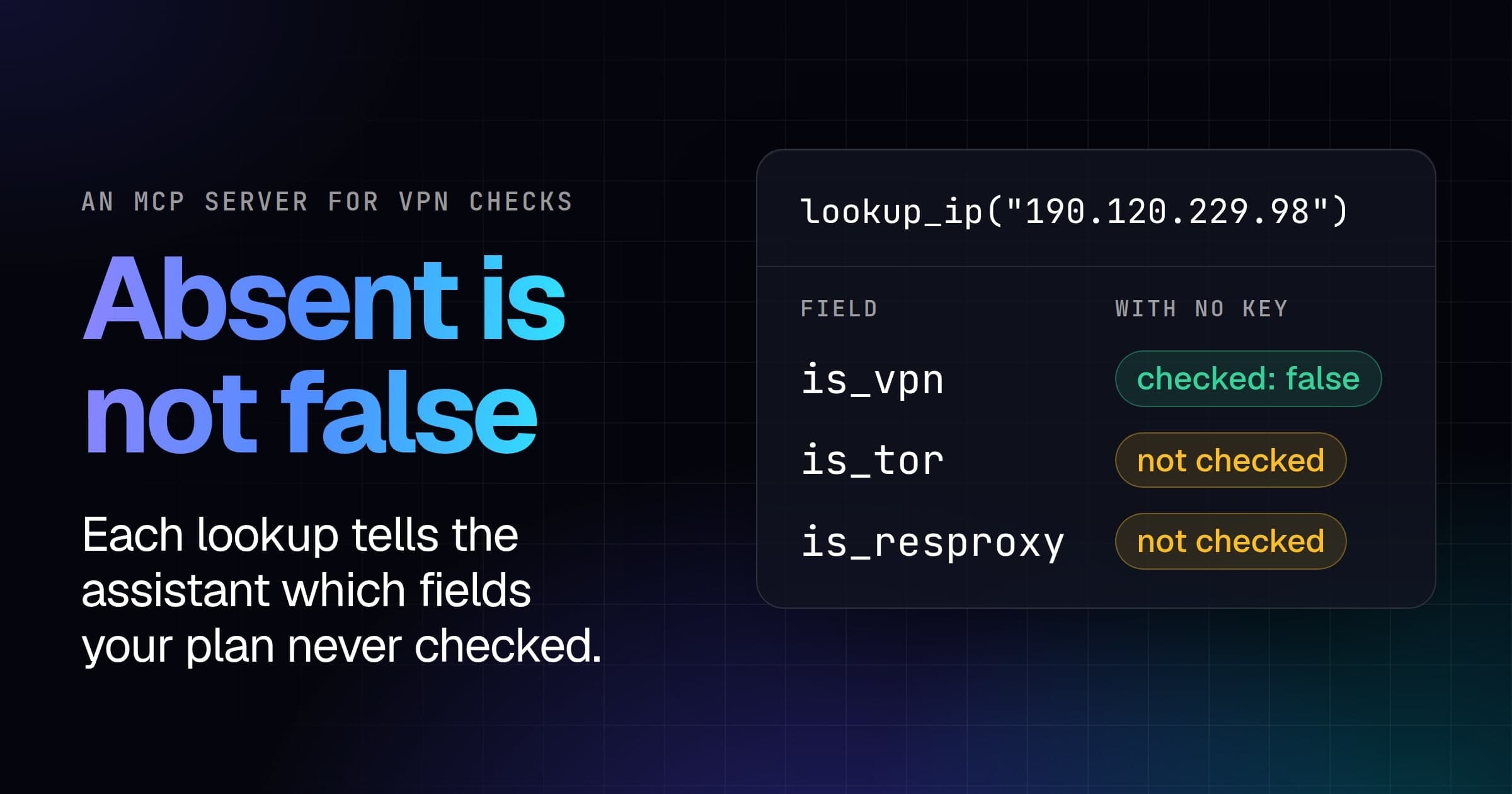
Absent is not false
Started with no key, the same function still refused the Mullvad server, but let the Tor exit in:
{"statusCode":403,"body":{"checked":"193.32.248.66","allowed":false}}
{"statusCode":200,"body":{"checked":"190.120.229.98","allowed":true}}
Without a key, a lookup answers ip and isVpn, plus isBogon, which the library sets itself. isTor isn't false there. It's undefined, which means "not in your plan", not "checked, and no", and result.isVpn || result.isTor reads undefined and false the same way. A free key adds the Tor and relay flags, and every paid plan answers every field, a proxy exit's evidence, such as how often we've seen it, included. In your own code, result.isTor === false means checked and not Tor, and result.isTor === undefined means your plan doesn't check it.
Next steps
Our Express and Next.js tutorials do the same on a Node.js server, where middleware runs the check on each request. The client library is on npm, with its source on GitHub, and every field the API answers is in the docs.